Browser-based PowerShell
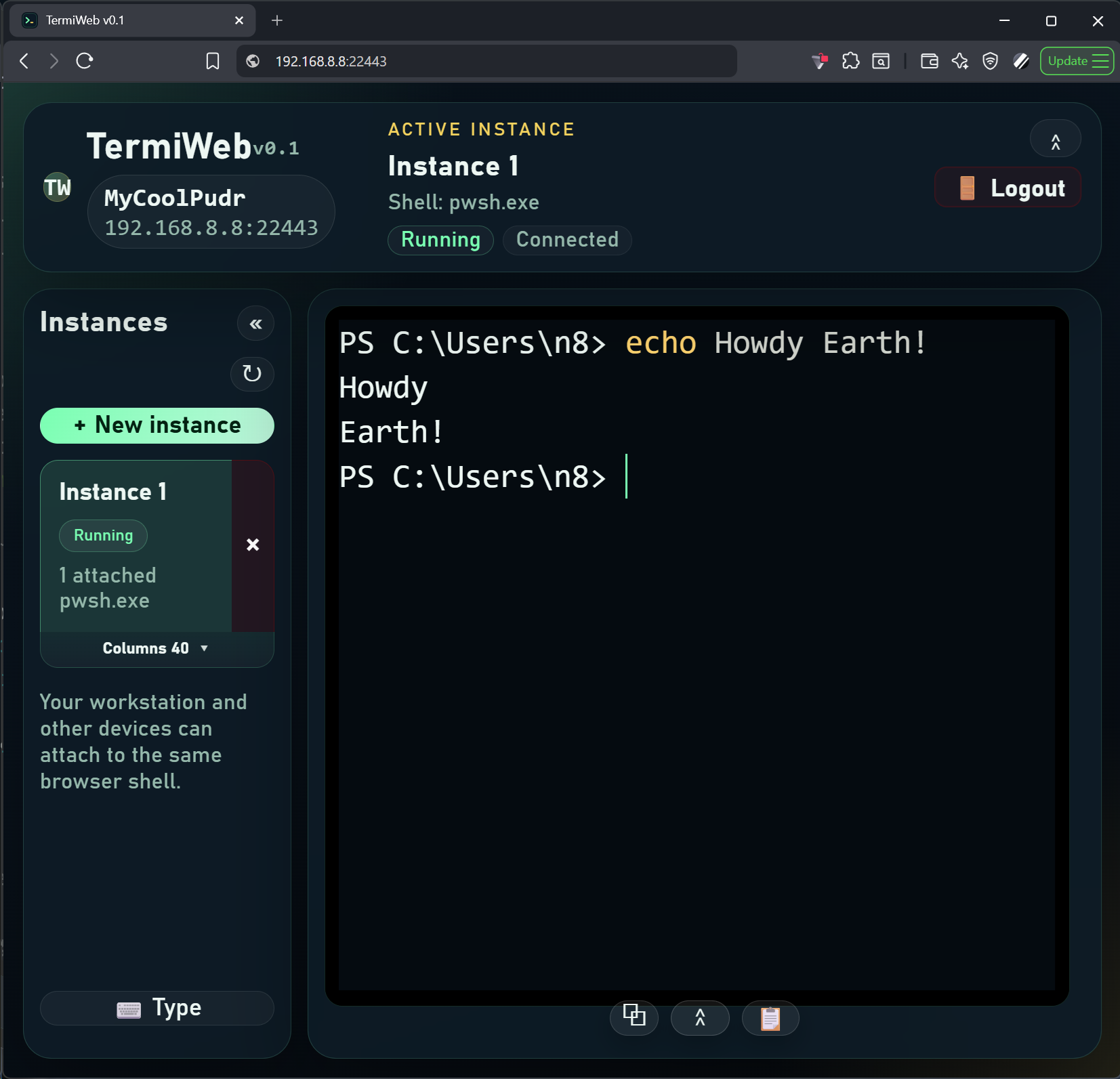
TermiWeb prefers PowerShell 7 when available and falls back to Windows PowerShell when needed, so the browser surface stays useful on real Windows hosts.
Overview
Keep PowerShell and Windows CLI within reach when you step away.
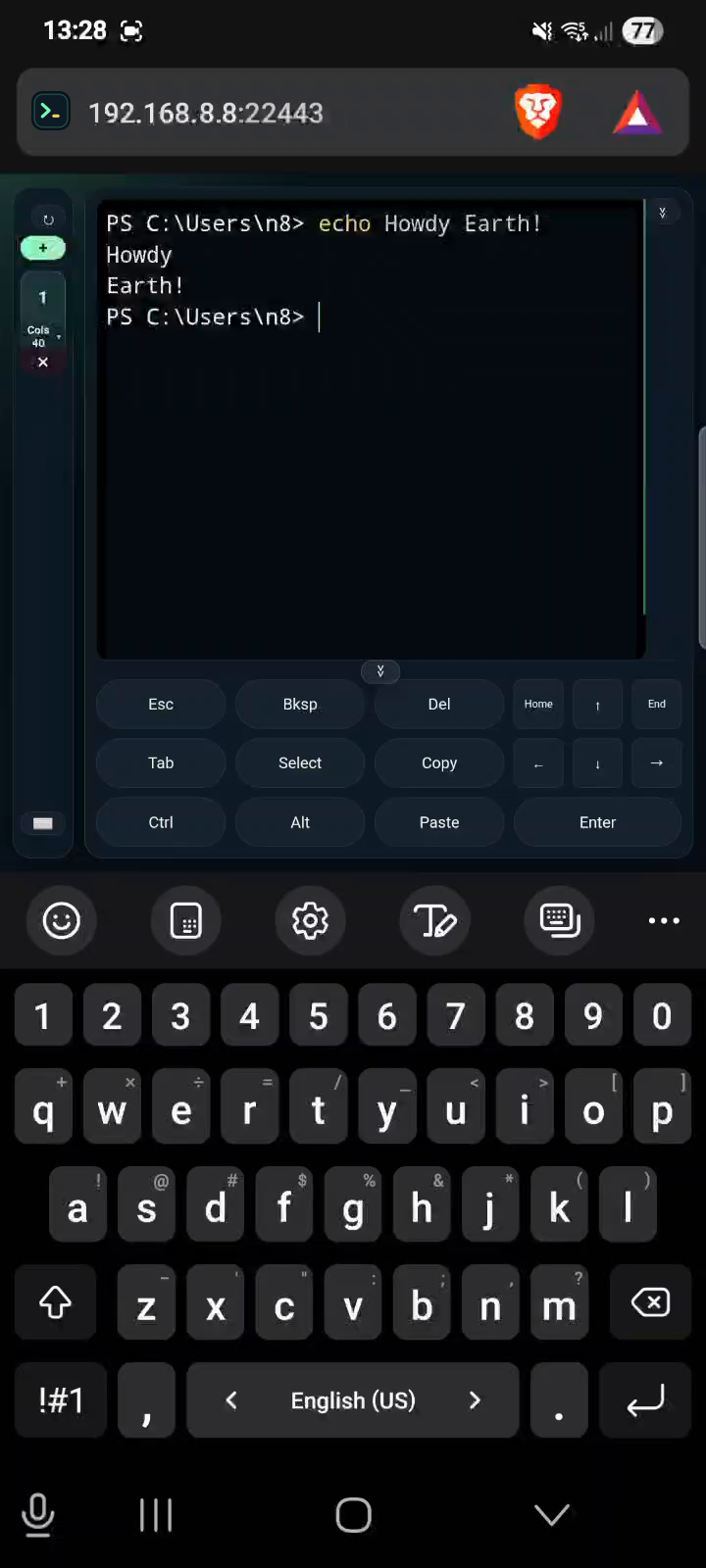
Use it from the host or another device.
No desktop remoting.
Support
TermiWeb prefers PowerShell 7 when available and falls back to Windows PowerShell when needed, so the browser surface stays useful on real Windows hosts.
Open shared terminal instances through the browser UI and attach to the same live shell from more than one device.
Optional auto-start can run before you sign in.
Use one configured app password for local and LAN access, with browser sessions that survive normal server restarts until logout or expiry.
Each instance keeps one shared column width across attached devices, with 80 columns as the default starting point for consistent terminal sizing when switching devices.
Mobile controls, selection mode, copy handling, and the fallback paste field are all built into the browser UI.
Screenshots
Download
SmartScreen
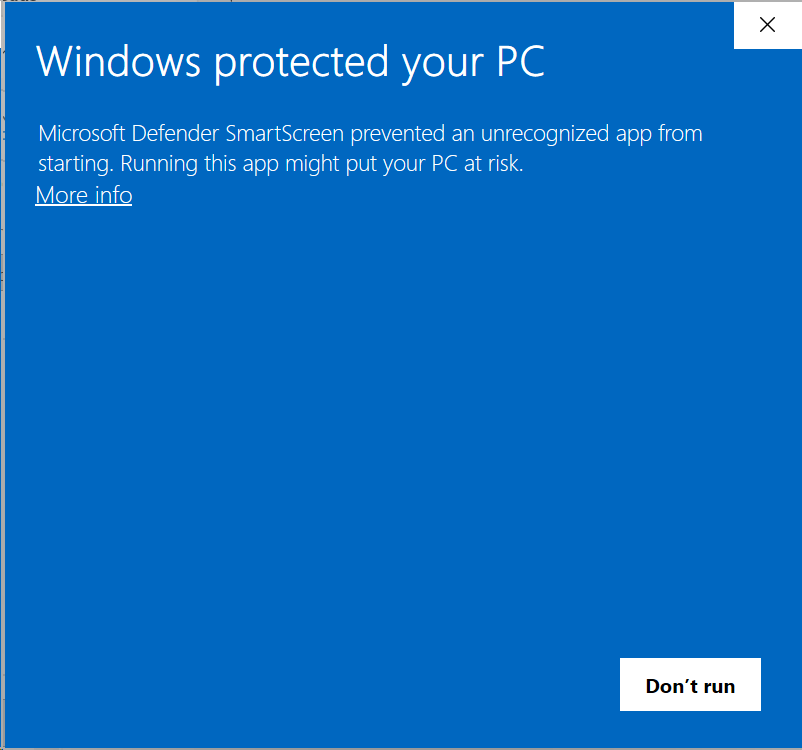
The installer is not code-signed yet, so Windows SmartScreen blocks its first launch. Choose More info, then Run anyway. The Windows elevation prompt follows, because TermiWeb installs to Program Files and runs elevated shells.
First Run
SYSTEM; no Windows account password is requested.http://127.0.0.1:22443.Trust
Targets Windows hosts and uses an elevated-only shell path.
The intended default is a trusted Windows machine on a private network.
Internet or cross-site exposure is possible, but securing it is up to you.
Includes single-user auth without TLS to keep it simple.
Source